

Compare
Clavox vs Wispr Flow, an honest comparison
Wispr Flow is a popular voice dictation app, and a good one. Clavox is ours. They solve the same problem in different ways, and the biggest difference is where your voice goes. Here’s a fair look at both, so you can choose.
Checked 30 Oct 2026. Wispr Flow facts come from Wispr’s own public pages, linked below. Prices and features change; check their site for the latest.
The short version
Clavox runs entirely on your computer. Your voice is never uploaded, and dictation works without the internet after the first setup download. It launches on 18 November 2026, on Mac and Windows first, then Linux, iPhone and Android.
Wispr Flow turns your voice into text in the cloud, so it needs an internet connection. It’s available today on Mac, Windows, iPhone and Android, supports more than 100 languages, and has team plans with security certifications.
Side by side
| What | Clavox | Wispr Flow |
|---|---|---|
| Where your voice is turned into text | On your own computer | In the cloud: “Transcription always occurs on the cloud” (data controls) |
| Works without the internet | Yes, after the first setup download | No: “An internet connection is required for transcription” (What is Flow) |
| What leaves your computer | Nothing: 0 words sent to us, 0 recordings uploaded | Your audio, for transcription. A “Dictation Cloud Storage” setting controls whether Wispr stores transcription data (data controls) |
| Platforms | Launches 18 Nov 2026 on Mac and Windows first, then Linux, iPhone and Android | Mac, Windows, iPhone and Android today (What is Flow) |
| Languages | Not listed on our site yet | More than 100 (What is Flow) |
| Removes fillers, follows changes of mind | Yes | Yes |
| Styles for different apps | Clean, Professional, Email, Message, Notes, Code and more | Styles such as formal and casual, which can be set per app (wisprflow.ai) |
| Learns your words and names | Yes | Yes, with a personal dictionary (wisprflow.ai) |
| Edit text by voice | Yes: highlight text and say what you want | Yes: Command Mode, a Pro feature (Command Mode) |
| Team plans and certifications | Not offered | Team and Enterprise plans; “SOC 2 Type II and ISO 27001 certified”; “HIPAA-ready dictation with a signed BAA” (pricing) |
| Price | 7-day free trial, then a Clavox license: $59 for waitlist members at launch, then $79 | Free plan with a weekly limit on desktop; Pro at $15 per user per month, or $12 per month billed annually (pricing) |
The real difference: cloud or your computer
Both apps let you talk instead of type, clean up what you say and put the result into the app you’re using. The design choice underneath is different.
Wispr Flow sends your audio to the cloud to be transcribed, and gives you settings to control whether it stores your transcription data and whether your data is used to improve its models. For many people that’s a reasonable trade, and Wispr backs it with security certifications.
Clavox doesn’t make that trade. Speech recognition and AI editing both run on your computer, and there is no path for what you say to leave it. You don’t need to check a setting, read a retention policy or trust a server, and you don’t need a connection. The cost of that choice is that Clavox depends on your own computer to do the work, and it launches on Mac and Windows first, with Linux, iPhone and Android to follow.
Who should pick Wispr Flow
- You need it on your phone today. Wispr Flow is already on iPhone and Android. Clavox’s phone apps come after the Mac and Windows launch.
- You dictate in many languages. Wispr Flow lists more than 100.
- You’re buying for a company that needs certifications such as SOC 2 or a HIPAA BAA, or admin controls for a team.
- You’re always online and cloud processing doesn’t concern you.
Who should pick Clavox
- You want your voice to stay on your computer. Client work, health notes, contracts, unannounced plans, or simply a preference not to upload recordings of yourself.
- You work offline or on unreliable connections: travel, trains, flights, rural areas, locked-down office networks.
- You’d rather pay for a license than a monthly plan. A Clavox license is $59 for waitlist members at launch, then $79, and future versions are included as they’re released.
- You write code. Clavox’s Code style keeps identifiers and file names exactly as you say them. See Clavox for developers.
Using both
Nothing stops you trying both. Wispr Flow has a free plan, and every new Clavox install starts with a 7-day free trial with everything unlocked. Try them on the same emails and messages and keep the one that suits how you work.
Moving from Wispr Flow to Clavox
If you switch, the habits carry over: put your cursor where you want to write, press the shortcut and talk. A few differences to know:
- Shortcut. The Clavox shortcut shown on our site is Option + Space on a Mac and Ctrl + Space on Windows.
- Styles. Pick the style that fits the app you’re writing in: Email, Message, Professional, Notes, Clean or Code.
- Your words. Correct a name once and Clavox learns it.
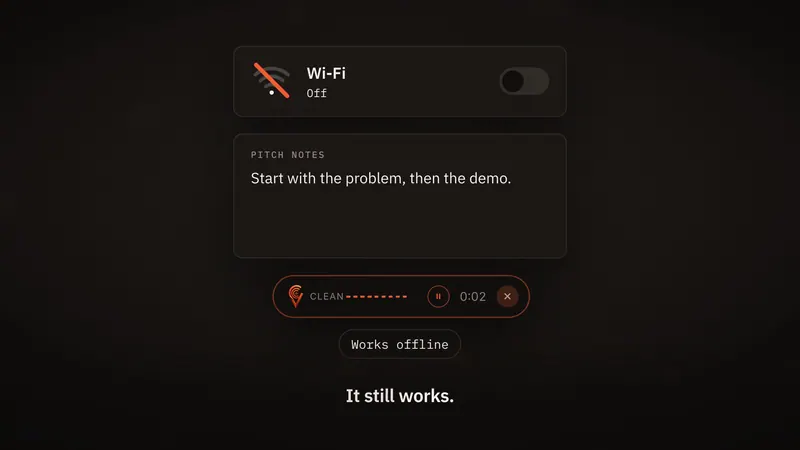
- Offline. After the first setup download, you can turn the Wi-Fi off and keep dictating.
FAQ
Is Clavox a Wispr Flow alternative?
Yes. Both turn your speech into clean text in any app. The main difference is that Clavox runs entirely on your computer and works offline, while Wispr Flow transcribes in the cloud and needs an internet connection.
Does Wispr Flow work offline?
According to Wispr’s own help page, “An internet connection is required for transcription.” Clavox works offline after the first setup download.
Which is more private?
Clavox never uploads your voice: speech recognition and AI editing run on your computer, and the Clavox app collects nothing. Wispr Flow transcribes in the cloud and offers settings for data storage and model training.
Which costs less?
It depends on how long you use it. Wispr Flow Pro is $15 per user per month, or $12 per month billed annually, and it has a free plan with a weekly limit. A Clavox license is $59 for waitlist members at launch, then $79.
Is Clavox available on iPhone and Android?
Not at launch. Clavox launches on Mac and Windows first, then Linux, iPhone and Android.
Updated