

Why Clavox works without the internet
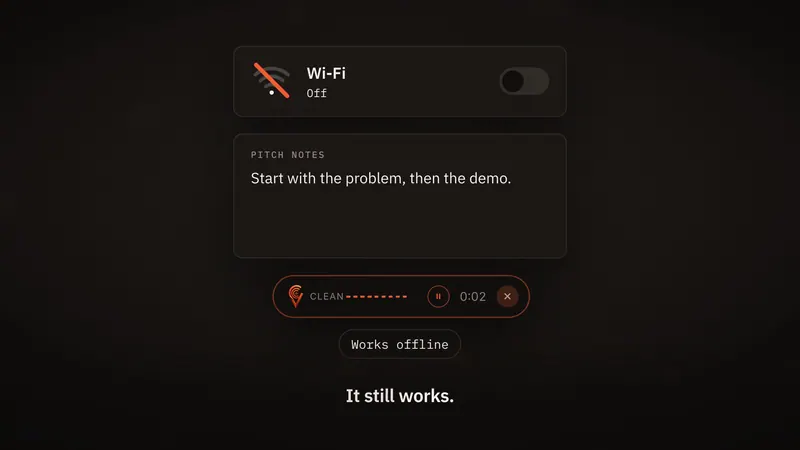
In the Clavox launch film there’s a moment where I switch the Wi-Fi off, keep talking, and the text still lands. That moment is the whole idea of Clavox in a few seconds.
Working without the internet isn’t an extra feature. It follows from one decision at the heart of Clavox: your voice stays on your computer. Here’s why.
What you say is the most personal thing you type
Think about what you’d dictate in a normal day. A reply to a client about a deal that isn’t public. A note about a colleague. A message to your family. A half-formed idea you’re not ready to share with anyone.
Most dictation tools record that, send it to a server, turn it into text there and send it back. The companies behind them write careful policies about what happens next. Some are very good. But every one of them asks you to trust them with a recording of your own voice saying things you’d never post.
I didn’t want to build something that asked for that trust. So Clavox doesn’t send your voice anywhere. Speech recognition and the AI editing that cleans up your words both run on your own computer. There’s no path for what you say to leave it.
Not a setting, and not a promise
A lot of products offer privacy as a switch: a mode you can turn on, a box you can untick. That’s better than nothing, but it has two problems. Defaults change. And a switch is still a promise: you’re trusting that the setting does what it says, on servers you’ll never see.
With Clavox there’s nothing to switch on. The Clavox app collects nothing: 0 words are sent to us, 0 recordings are uploaded, and there’s 0 tracking in the app. Sending your words to us or anyone else is architecturally impossible, so nobody can read them, sell them, or train on them. That isn’t a policy I could change later. It’s how Clavox is built.
Offline is what privacy looks like in practice
Once everything runs on your computer, working without the internet comes almost for free. And it matters more than people expect.
Good ideas don’t wait for good Wi-Fi. They show up on a train, on a plane, in a village with one bar of signal, in a meeting room where the guest network never works. A dictation app that fails in those moments teaches you not to rely on it.
After the first setup download, Clavox works fully offline. On a plane, in a dead zone, anywhere. It behaves exactly the same with the Wi-Fi on or off, because it never used the network for your words in the first place.
It’s also why Clavox feels fast
There’s a less obvious benefit. When your voice doesn’t have to travel to a server and back, there’s nothing to wait for. You stop speaking and the text is already there.
That matters because dictation is a conversation with your own thoughts. Every pause while text loads breaks the flow you were trying to protect.
Doing it all on your computer is harder
I won’t pretend this was the easy road. Running speech recognition and AI editing on a normal laptop, quickly enough that it feels instant and well enough that the text is ready to send, takes a lot of careful work. A cloud service can throw a data centre at the problem. Clavox has your computer, and it has to share it politely with everything else you’re running.
We’re launching on Mac and Windows first, then Linux, iPhone and Android. Because nothing is handed off to a server, each one has to work properly on the hardware people actually own.
I think that trade is worth it. You get dictation that’s private by construction, works anywhere, and doesn’t depend on a company’s servers staying up.
What “offline” doesn’t mean
To be precise about it:
- Clavox needs the internet once, for the first setup download. After that, dictation works offline.
- This website is different from the app. clavox.ai uses cookies for ads if you accept them; our privacy notice explains exactly what, and that the app itself collects nothing.
- Offline doesn’t mean basic. Clavox still writes what you meant: it drops the ums, follows you when you change your mind, fixes the grammar, and shapes your words for an email, a message, notes or code.
Try it yourself
Clavox launches on 18 November 2026, and every new install starts with a 7-day free trial with everything unlocked. When you get it, do the test from our launch film: turn off the Wi-Fi, press the shortcut, and talk.
If you’d like to see the whole picture first, read about offline dictation with Clavox or watch the launch film. And if it sounds like what you’ve been missing, join the waitlist: waitlist members get Clavox for $59 at launch, then it’s $79.
— Samuel
FAQ
Does Clavox need the internet at all?
Only for the first setup download. After that, dictation works fully offline.
Does Clavox upload my voice?
No. Speech recognition and AI editing both run on your computer. 0 words are sent to us and 0 recordings are uploaded.
Is Clavox slower because it runs on my computer?
No. With no upload and no wait for a server, the text appears the moment you stop speaking.
Which computers does Clavox run on?
At launch, Mac and Windows. Linux, iPhone and Android follow, included with your Clavox license as they’re released.
Read next: About Clavox and its founder, Samuel Eniola